


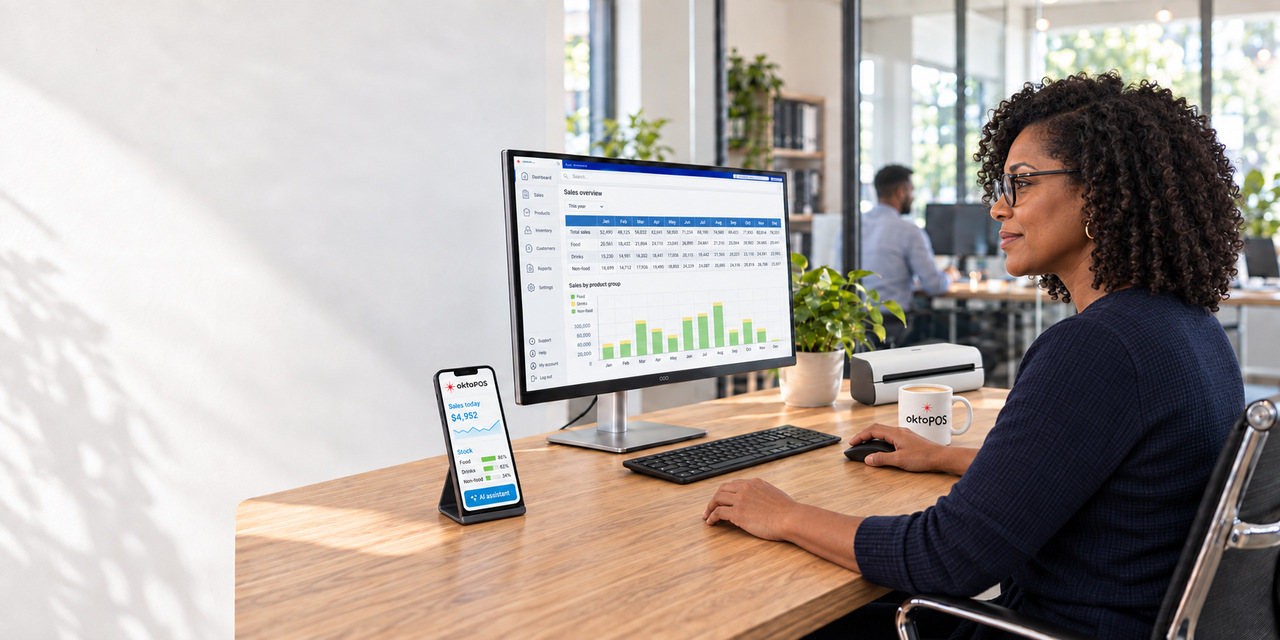
Management
The OktoPOS Manager, the heart of your back office.
Materials, staff, customers and reports come together in one central system.
The OktoPOS Manager brings together articles, staff and figures of all locations in one interface.
On this page
OktoPOS Manager
Your Web-Database and POS System Management Center
Software: SW-OPM, SW-CS
With the OktoPOS Manager, you can manage locations and franchises efficiently from one central system, even internationally. Whether inventory, staff, or analytics: all data is unified in one platform. Scalable, multilingual, and built for multi-location operations, ideal for growing businesses with global ambitions.
Locations and Franchises
Software: SW-OMF
OktoPOS is used by single-unit, multi-location, and franchise systems.
Corporate Structure
in the OktoPOS Manager
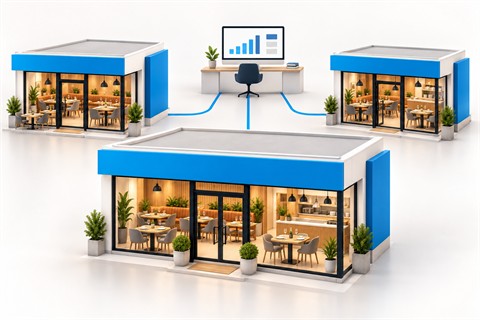
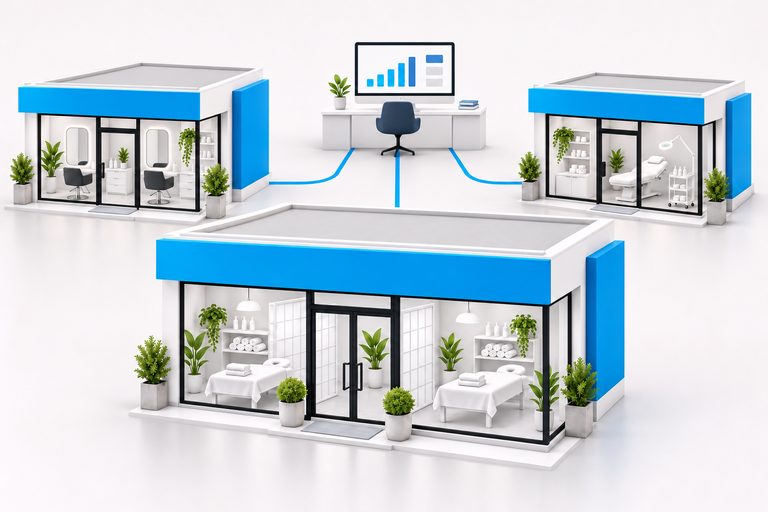
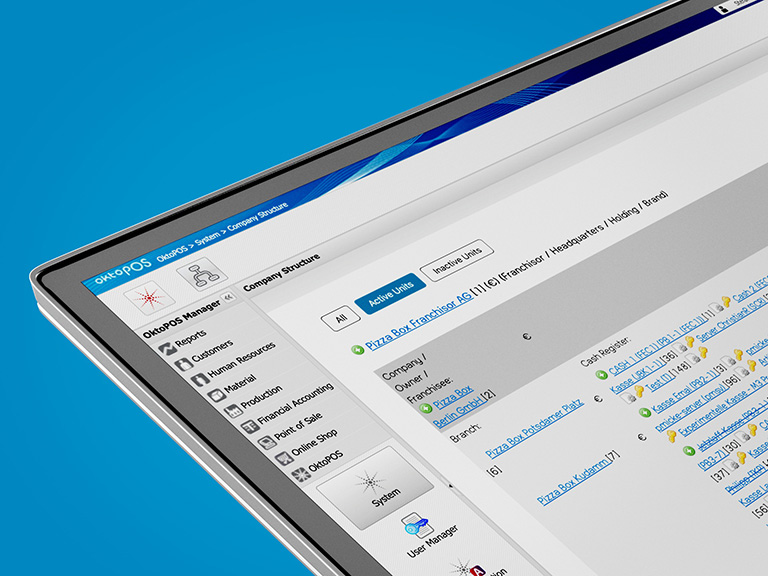
Corporate structure management via the OktoPOS Manager. Franchises, locations and cash registers are created and managed centrally.
Corporate Structure

One article master for all locations
You maintain the range, images and prices in one place in the OktoPOS Manager. The cash registers and terminals at all locations pick up the changes.
- Articles, texts and images
- Allergens, additives and nutritional values
- Prices per location, separate for dine-in and takeout
- Tax rates per location
- Meal deals with selection steps and extras
- Promotions via dedicated categories and the start screen
- Assign time profiles, for example for breakfast and lunch
- Individual article button layout per cash register
- Uniform reports across all locations
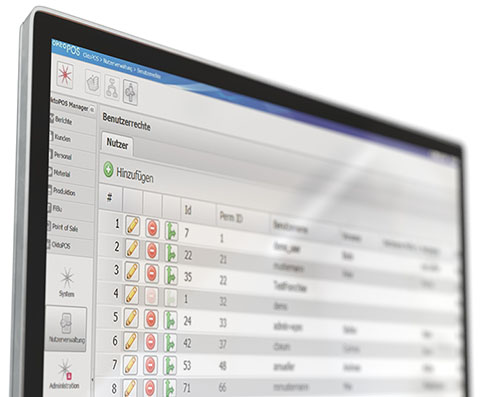
Access Rights
The access rights to the OktoPOS Manager and to the front-end modules are managed centrally. The user rights can be configured for every function and, for many areas, restricted to locations.
International
OktoPOS can be used in different countries.
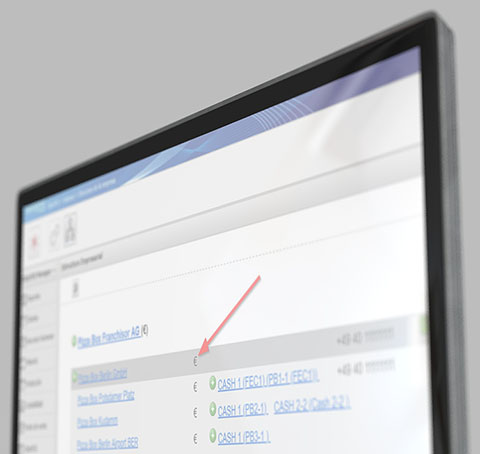
Currencies
A currency can be defined for each location. This currency is used consistently for the cash register and for the functions and reports of the OktoPOS Manager.
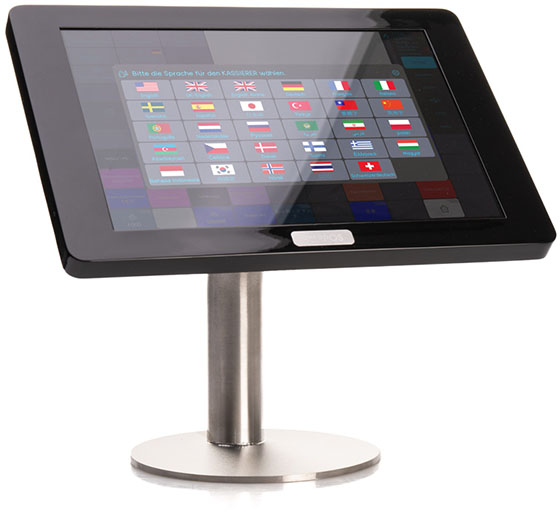
Language Selection
on the Cash Register
All international data converges in the web-based OktoPOS Manager.
Videos
HUI Restaurant - Beijing
hmv kafé - Beijing
hmv kafé - Shanghai
Zurheide Berliner Allee - Düsseldorf, Germany
Inventory Control and Management
Efficiency, Consistency and Control through Integration of Materials Control and Cash Registers.
Software: SW-MM1, SW-MM2
Materials management is a challenge for multi-location operations with a high volume of small transactions.
The integration of materials management with the cash register is a must. OktoPOS Cash uses article data from the central OktoPOS Manager database and feeds it with consumption values in return. This is the basis for a functioning materials management.
Consumed articles can be broken down into the ingredients listed in their recipe. Deliveries and waste are recorded. With this data, a stock account is maintained for every article. After the inventory count, deviations between expected vs. actual amounts and values are displayed.


POS system with inventory management

Stock account per article
Every article carries its own stock account.
Inventory management features
- Article administration
- Supplier administration
- Inventories
- Storage locations
- Expected vs. actual analysis
- Order recommendations
- Recipes
- Prices
- Allergens
- Nutritional values
- Additives
- Expiration dates
- Product calculation
- Gross margin calculation
- Deliveries
- Waste
- Production planning
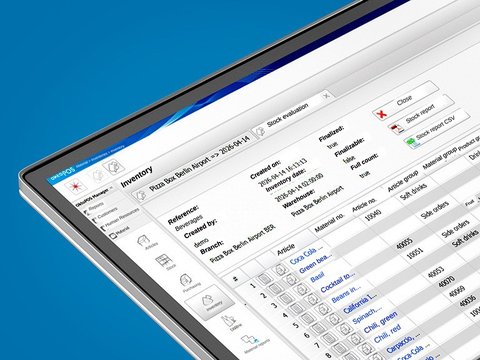
Inventory count
Counting is done with count lists, on the move in the OktoPOS Manager or with the handheld scanner by barcode. The system compares the counted quantity with the calculated stock.
- Target-actual difference per article, right in the list
- Jump from the row straight into the article's material account
- Valuation at the stored values, then finalize
- Posting list of the stock movement for financial accounting
Waste and breakage
The target-actual comparison only adds up if waste and breakage are recorded alongside sales.
Both can be entered directly at the register or in the OktoPOS Manager, for sales articles just as for individual ingredients. The waste lists can be evaluated in the OktoPOS Manager.
Purchase Order Recommendation
The list works out what is missing from the sales of recent days and the stock on hand. Articles with a recipe are broken down into their components for this.
- Adjust suggested quantities by hand before sending
- As an order by email to the supplier
Handheld scanner with OktoInventory
Software: SW-INV
The handheld scanner (mobile data terminal) is an Android device with a built-in barcode reader. Scan the barcode, type in the quantity, load the export into the OktoPOS Manager.
- Inventory count: the scanned quantities are applied as the counted stock
- Goods receipt: the quantities go into the packing slip
- Ordering: scan in the stockroom and the order is built from it
Quantity appears in the OktoPOS ManagerScan the barcodeType in the quantityCreate the exportQuantity appears in the OktoPOS Manager
Scan. The OktoInventory software runs on the device. You scan the barcode and enter the quantity with it.
Hand over. After scanning you export a CSV file with barcodes and quantities from the handheld scanner into the OktoPOS Manager.
Process further. The OktoPOS Manager imports the quantities, depending on the task, as the counted stock of the inventory count, as the quantity on the packing slip or as a line of an order.
Articles
An article possesses various attributes which conventional cash register systems do not take into account. In the OktoPOS Manager, the various attributes are entered directly in the article file and are thus available for the other modules.

Central article database for all industries

Prices
An article can be sold in various ways. This may trigger different prices and tax rates. To avoid creating a separate article for each distribution option, various prices and tax rates can be entered that depend on the following parameters:
- Location
- Distribution channel (dine-in, takeout, delivery service, etc.)
For each location, the currency can be defined. Thus, the same article can be sold internationally in different locations and different distribution channels. This enables comprehensive article reports.

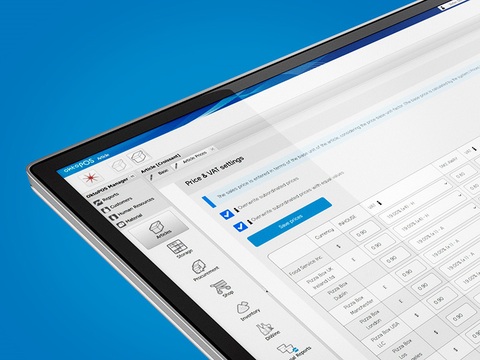
Price table for an article
Product Calculation
The system calculates the material cost ratio for each article. The gross margin report lists daily gross margin results for every article at every location.

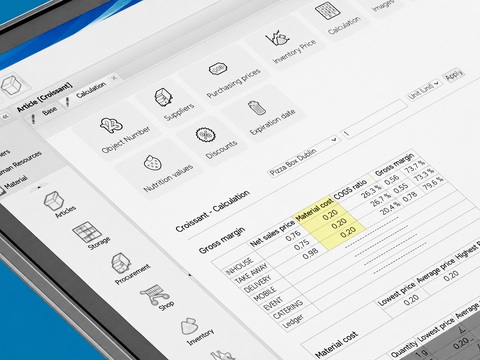
Product calculation by recipe
Manage Recipes, Nutritional Values & Allergens
Keep full control over your recipes with centralized management of ingredients, nutritional values, and allergens. The OktoPOS Manager ensures clear labeling and easy updates, perfect for hospitality and retail. Stay compliant with regulations and offer your guests and customers maximum transparency and safety.

Recipes
Recipes can be stored in the article file for all articles produced or modified at the location
This enables the following:
- Consumption of ingredients
- Determination of allergens in products via the recipe
- Determination of additives in products via the recipe
- Calculation of nutritional values by the recipe
- Identification of non-vegetarian and non-vegan articles by the recipe
- Product calculation by the recipe
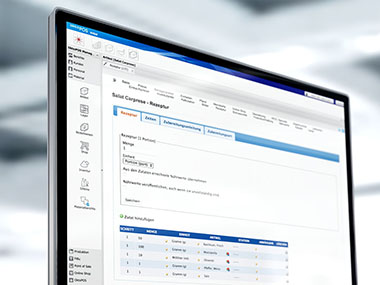
Nutritional Values
Nutritional values of the end products can be calculated from the recipe.

Nutritional values can be entered for each article.
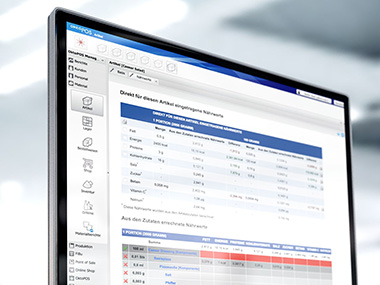
Calculation of nutritional values in the article file
The nutritional values of the end product are calculated from the ingredients using the recipe. Since these values do not necessarily correspond to the sum of the nutritional values of the ingredients, they can be corrected manually at each stage.

Publication
Nutritional values can be used for the following purposes:

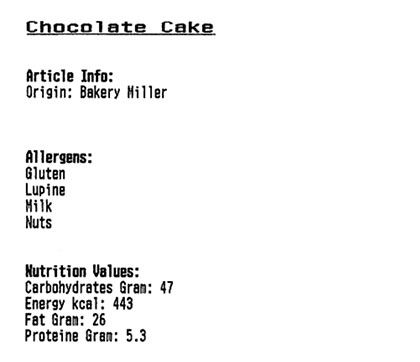
Printout of the article information via the receipt printer
Display of nutritional values on the cash register
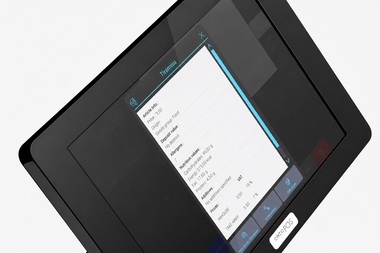
Allergens & Additives
Allergens and additives can be calculated through the recipe.

Allergens and additives can be entered for each article. The system uses the recipe to determine the allergens and additives that are contained in the end products.
Tracking allergens and additives in complex recipes is barely possible without the support of a powerful system.
The information about allergens and additives can be used for the following purposes:


The article database can be filtered by allergens and additives. Thus, all articles that contain a certain allergen or additive can be found at the click of a button.
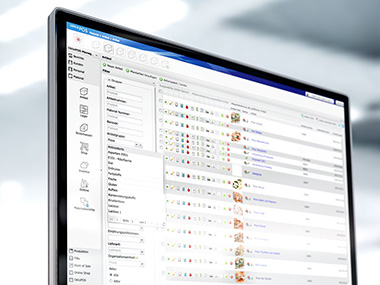
Filtering the article database by allergens
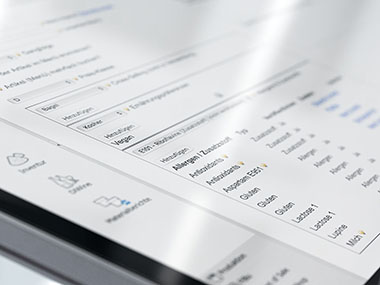
Determination of allergens in
the article file through the recipe
Employee Management
Software: SW-HR
What you achieve with it
- Less effort, more clarity: Manage staff scheduling, working hours, absences, and allowances transparently.
- Recruit faster: Publish job postings on your website and structure the application process.
- Better onboarding: Checklists ensure structured training, without paper chaos.

Features at a glance
- Shift planning
Intuitive planning with clear responsibilities, for service, kitchen, or sales teams. - Integrated time tracking
Record working hours centrally and document them reliably. - Vacation & absence management
Coordinate vacation days and absences clearly, avoid conflicts, identify gaps early. - Time accounts
Manage target and actual working hours minus sickness and vacation in time accounts. - Allowances
Calculate and document allowances automatically. - Recruiting & applicant management
Create job postings and present them on your website. Manage applications centrally, from preselection to acceptance. - Onboarding with checklists
Digital employee checklists for a smooth start for new team members.
Your benefits
- All in one tool: From shift planning to onboarding, without switching between systems.
- Save time & reduce errors: Clear processes, less rework.
- Structure for the team: Everyone knows when and where they are scheduled. Vacations and allowances are clearly managed.
OktoPOS offers comprehensive employee management, integrating all essential functions from shift planning and time tracking to managing vacation days and allowances. Job postings are created in the system and appear on your website.
Shift planning, time tracking, vacation and absences are all in one place. The system calculates bonuses and allowances from the recorded hours. For new employees there is a checklist that maps out their onboarding.
Additionally, the integrated recruiting module significantly eases applicant management. You receive targeted support in selecting and managing candidates, which optimizes and simplifies the entire recruitment process.
Employee Database
Employee files are stored centrally in the OktoPOS Manager. Thus, the data is available throughout the system without redundant entry. From shift planning to time recording and cash register logon.


Employee login at the cash register
Contract Administration
The history of key contract data is stored in the employee file. This is also used to calculate labor cost ratios and for other reports.
Time and Attendance - OktoTime
Time Recording with a Tablet Computer App.
Software: SW-TA

The time recording terminal OktoTime is connected to the OktoPOS Manager over the internet. New employees are entered in the OktoPOS Manager. The log times are directly visible in the OktoPOS Manager providing an overview of employees currently at work.

OktoTime meets the legal requirements for time recording and at the same time shows what the hours worked cost. The logged hours are valued according to contract data.
The logged times can be used for payroll.

Time Recording Logs
The employee's time logs are available individually and cumulatively. The direct internet connection of the terminals makes reviewing log status in real time possible.

Features
- Employee selection
- Function selection
- Log-in / log-out
- Logging with contactless employee card (RFID) or PIN
- Employee files are managed in the OktoPOS Manager
- Time recording data is sent in real time to the OktoPOS Manager
- New employees are available on the terminals directly after creating a new employee file in the OktoPOS Manager
- Reporting in the OktoPOS Manager
- Personnel costs
Working time accounts: Keeping track of plus/minus hours
With the working time accounts in OktoPOS, you always keep a transparent overview of overtime and undertime. The balances are calculated directly from the recorded working hours as well as vacation and sick days, and are clearly visible for each employee. You can manage the adjustment flexibly according to your company agreements.
- Software:

- Hardware:
- Android tablet computer 7-10"
- Data Connection:
- Wi-Fi - Internet. OktoTime transfers data with an internet connection directly to the OktoPOS Manager. If the internet is temporarily unavailable, the terminal saves the logs and sends them out later.
Shift Planning
Integrated Shift Planning linked to Employee File and Sales.
Software: SW-SP


Weekly plan
Shift plans can be created easily in the OktoPOS Manager. Simply drag & drop staff into the pre-defined time slots.

Only staff members who have the required qualification are available for each function. The system dynamically checks for double assignments and other restrictions and issues warnings accordingly.
Shift Plan Overview
In the overview, the shift plan for a week can be seen. The entire shift plan can be copied to another week with a click. This may apply to all or only selected functions as required.
Shift Planning Bar Chart
The bar chart offers a good overview to ensure efficient shift planning by avoiding over- and understaffing.

Weekly bar chart
My Shift Plan
Employees can see their scheduled times and places online.
Restrictions
Different types of restrictions for individual employees can be considered in the planning.
The shift planner will see a warning message should the employee be on vacation or have reached their working hours limit.
In the system configuration section, restrictions can be adjusted to only issue warning messages or to block employees from being scheduled altogether.
The following restrictions are available:
- Vacation
- Sickness
- Birthday
- Rest periods
- Colleagues
- Locations

Warning message for shift plan restrictions
Publication
The shift plan can be published in the following ways:
- Printout
- Online
Planning Aids
Aside from the restrictions, there are other useful tools that support shift planning.
These include information on how many contractual hours have already been used, functions the employee is qualified for, locations and functions the employee has experience in as well as information on possible substitute employees.

Employee’s experience
Features
- Planning in weekly overview
- Planning by functions
- Conflict management
- Employee restrictions
- Copy function
- Total hours per employee
- Bar chart
- Employee access (“My Shift Plan”)
- Distribution of shift plan by email
- PDF shift plan
- Reports by locations and functions
- Shift templates
- Sales / labor cost / labor cost ratios
- Planning aids (information about employees)
Vacation Accounts
Tracking of Vacation Allowances.

The yearly vacation allowance and its expiry are calculated from the contract data.
Absence days (sickness) can be kept track of as well.
Vacation requests and sickness leave periods trigger warning messages in shift planning if the employee is scheduled for a time when they will not be available.


Allowance Management
Easy Reconciliation of Surcharge Payments with the Hours Actually Worked.
With the surcharge management function, you can calculate tax-advantaged surcharges for public holidays and night shifts.
This function is directly connected to OktoTime.

Checklists
Tracking of items that are handed out to employees.

A checklist in the employee file. Items handed out to and returned by employees can be entered for tracking (e.g., keys, uniform, etc.).

Job Postings & Smart Recruiting
You write job ads in the system and publish them on your website. The applications arrive there, with the status of each applicant from first contact to hiring.

Vacancy Management
You can create job ads for vacancies that can be posted on your website. Applications can be sent through the website directly to the OktoPOS Manager. Incoming applications are managed in the OktoPOS Manager.


Recruiting
Applicant Management
Software: SW-OC

OktoCareer - HR Management Software
With the separate OktoCareer module, you have a professional applicant management system at your disposal:
- Job advertisements on your own website and on job boards
- Applications received via the website, job boards, and by email
- Creation of an applicant file
- Electronic analysis of the CV
- Legally compliant collection of consent for data processing
- Deadline management for data protection and legally compliant deletion
- Integrated communication with applicants via email
- Evaluations of candidates
- Maintenance of long and short lists
- Creation of a pool of candidates
- Management of vacancies
- Resubmission function
- Outlook connection
- Reporting


The OktoCareer module is suitable for companies that receive 10 or more applications per month. With OktoCareer you keep an overview, don't miss any deadlines and ensure a professional appearance on the labor market.
- Keep track of the applicant
- Don't miss any more deadlines
- Professional appearance on the job market
- Better decisions through more information
Stay in Control with Analytics and Reporting Tools
The OktoPOS Manager delivers robust analytics, clear reports, and effective controlling features to support informed decision-making. There are dedicated tools for accountants, and accounting imports the export directly. Combined with an integrated content management system, you stay on top of your data, communication, and content. More clarity, less effort: all in one system.
Reporting
Comprehensive Real-Time Reporting.

Anything, anytime
The OktoPOS Manager enables access to reports on a wide variety of topics that are always up-to-date. Even sales made just seconds ago are immediately included in the reports. Thanks to the high computing power of the server and optimized program structures, even complex evaluations can be performed in a flash.
For individual further processing, reports can easily be exported to Excel. Additionally, it is possible to create PDF documents for documentation from most analyses. Since data from all modules flow into the OktoPOS Manager, reports are also possible that combine data from different areas, such as the labor cost ratio or product calculations.

Control
Clarity comes when the important information comes to you, instead of you having to gather it. Due to the multitude of processes and transactions of different kinds at a location, it is impossible to keep control without an efficient and interconnected system.
Subscribe to the management report that delivers the key information to you by email every day. Use the drill-down function to gain a deeper insight. Since all data is available in one single system, it is possible to drill down to the raw data.
Use the combination of data to your advantage. For instance, analyze the margins report to determine on which days which articles contribute the most, or least, to your profits.
Through the differentiated rights structure, you can define which employee may see which reports. More than 50 reports are available in the OktoPOS Manager.
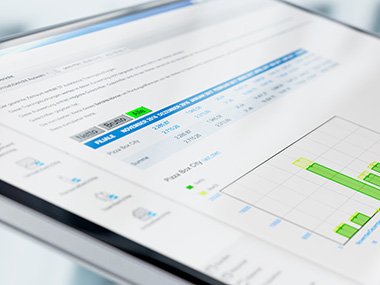
Monthly sales

Controlling
Maximum Transparency by Linking Data from Various Modules.

From bean counters to visionaries
Managers of multi-unit operations know the importance of current data and how difficult it is to get it.
OktoPOS delivers information faster and more comprehensively than any other system. OktoPOS provides the compass you need to keep your company on track.
Effective management needs to not only see the big picture, but also pay attention to details. Thanks to the integrated approach, OktoPOS offers the complete spectrum. From profitability of a location to the single transaction.
Drill Down
For a better understanding of the reports, you can drill down to individual transaction records.
Proforma P&L
You can see your daily P&L for each location in the OktoPOS Manager. The required data comes from the cash register, articles, recipes and purchasing prices as well as personnel cost according to time and attendance and employment contracts. Occupancy cost, depreciation and other costs are defined as a lump sum or in relation to sales individually for each location.
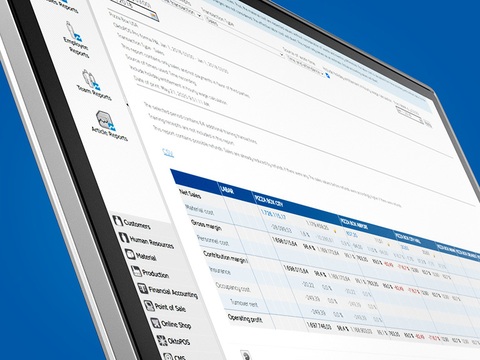
The only cash register that shows sales and bottom-line success.


Electronic cash journal - OktoJournal
Software: SW-LED
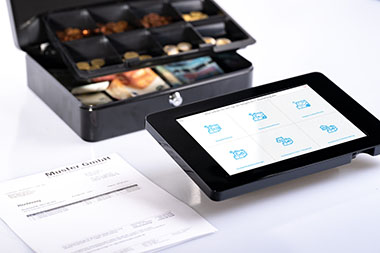
OktoJournal is your electronic cash journal with entry on the touchscreen. For cash registers and vault books.
No more hassle with handwritten notes.
All deposit and withdrawal receipts from the cash register are recorded via the touchscreen and stored in the cloud.
No tedious fiddling with mouse and keyboard. The OktoJournal touchscreen recording terminal stands directly next to the cash register. This ensures that every document is actually posted immediately.
Frontend
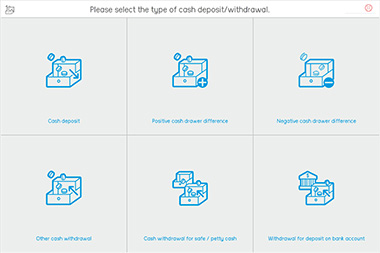
Home page
Backend
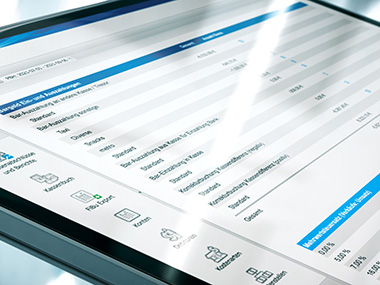
Reports in the cloud
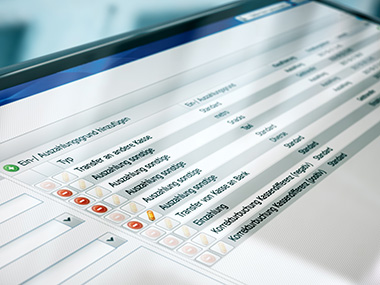
Management of settings in the cloud
OktoJournal is a recording terminal with an electronic cash journal for cash registers and for cash boxes that do not record sales tax, e.g. a safe or petty cash.
Questions and answers
Why is OktoJournal only offered as a monthly license?
Nowadays, tax software is subject to constant changes and updates.
The ongoing update costs are included in the monthly license.
Storage of the data in compliance with tax authority requirements, including backups, is also included.
So you don't have to worry about anything else and can look forward to tax audits with ease.
Can I also install the touch terminal on my own hardware?
No. OktoJournal can only be used with our recording terminal.
Is training included in the cost?
The program is very easy to use. A brief introductory training session via phone or video conference is included.
What is the payment method?
Monthly license fees are paid annually in advance.
What is the notice period?
You can cancel OktoJournal at any time, effective at the end of the year.
Why is OktoJournal offline-capable when the cash journal is in the cloud?
The recordings are made with the touch terminal. The touch terminal is an offline program. As soon as the touch terminal has an Internet connection (Wi-Fi or LAN), it automatically transmits the individual postings to your cash journal administration in the cloud.
What do I have to do if I want to use OktoJournal?
- You conclude a license agreement with us online.
- You order the touch terminal and pay the bill and license for the first year.
- You will receive your touch terminal and access to your cash journal in the cloud within 7 business days.
Will there be any support costs?
Usually not. The brief included beginner training should be sufficient. If you have any questions in between, feel free to contact us during office hours.
Can I also issue sales invoices with OktoJournal?
No. You can use the electronic touch cash register OktoPOS Cash for this.
I use OktoPOS Cash as a cash register. Do I still need OktoJournal?
The cash journal is already integrated in OktoPOS Cash. You only need OktoJournal if you want to keep other cash journals that are not related to a cash register, for example a safe book or a cash journal for the petty cash in the office.
For Accountants
Functions and Information for Accountants

How do I get my client's data?
OktoPOS offers a login for accountants. With that you have access to all the important areas of the system. All you need is a computer with an internet connection. In the browser (e.g. Firefox, Chrome) you get into the OktoPOS system of your client. Ask your client for the login credentials. We set up the accountant access individually for your client's system if your client sends the request.
Can I also export several locations at once?
Yes. If your client operates multiple locations, you can select multiple locations for export, and export the sales into one file.
Can the sales data also be imported into my accounting system on a daily basis?
In principle, it is possible for the OktoPOS system to store the sales export on your server on a daily basis. There is a one-time cost to set up the automatic export. Because of the simple and very fast handling of the sales export in the OktoPOS Manager, which usually is only done once a month with very little time, the automated connection is not worthwhile in most cases and brings hardly any time advantage.
Where can I find a template for the internal control system?
In the OktoPOS Cash manual under OktoPOS > System > System Support.
Can the OktoPOS Manager be deleted after the end of the contract?
From our point of view, the OktoPOS Manager and data are subject to the statutory retention periods. In case of a subsequent tax audit, system access can be requested. A pure data export regularly does not meet the requirements. However, we cannot and must not provide any legal or tax advice in this regard, and we follow the instructions of our clients.
How do I post the sales?
The easiest way is to use the financial accounting export. You can find it in the left navigation in the OktoPOS Manager under Financial Accounting > Financial Accounting Export.
The export is generated in seconds at the push of a button as a CSV file. This CSV file is recognized and interpreted by your accounting program when you import it.
Which periods can I post?
You have the choice between individual transactions, entire days or other selectable periods such as weeks or months.
If you choose a period, e.g. a month, you can choose whether the sales for the entire period are to be accumulated or broken down into individual days.
So with a single export, once a month, you can post every single day of the month in no time.
Which document summarizes the daily sales for accounting?
Please use the cash report. You can find it under Accounting > Cash register accounts and reports > Cash report. In contrast to the cash register closing or Z-report, the cash register report always covers an entire business day, even if several cash register closings were made on that day. The cash register report represents the tax basis for financial accounting in the OktoPOS system.
What does it mean if the cash report is preliminary?
The cash report is provisional until the OktoPOS Manager has ensured that all transactions from the cash register have arrived in the OktoPOS Manager. This determination can only be made when the first receipt of the following day is posted. This is the only way for the OktoPOS Manager to clearly identify which was the last receipt number of the day.
Where can I find further information?
In the FAQ you will find information and videos for accounting (OktoPOS > System > FAQ). The manual can be found under OktoPOS > System > System Support.
Accounting Export
Export Sales to Financial Accounting at the Push of a Button
Software: SW-FA
The sales export makes the work for financial accounting much easier.
Sales are exported from the OktoPOS Manager as a CSV file and imported into the accounting program.
The export can be set to be compatible with all accounting programs. For example with QuickBooks, Xero, and NetSuite.

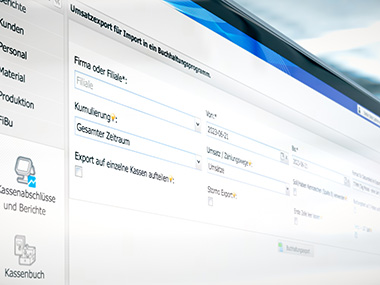
Sales can be exported in one go for multiple days and multiple locations.
To set up the export function, simply enter the chart of accounts in the OktoPOS Manager and assign a revenue account to each sales article based on its VAT rate. This way, you can easily break down your sales in your P&L by product groups or categories, depending on your needs.
MCP interface
Your Manager, opened up for AI agents.
Software: API-MCP
The Model Context Protocol, MCP for short, is the standard by which AI agents work with a specialist system. The OktoPOS Manager has such an interface. An agent that supports MCP, for example Claude or ChatGPT, then works directly on your figures.
What this makes possible
What an agent answers in each area.
- Controlling. The morning briefing: five sentences per location on the previous day.
- Reporting. Revenue, receipts and average receipt for any period, and where one location differs from the rest.
- Product planning. At which hour and in which week an article sells, and when it should be offered again.
- Range. Which article no longer pays its way in the range, measured by receipts and revenue share, and what belongs in its place.
- Add-on sales. Which articles appear on the same receipt and where a bundle or a recommendation is left on the table.
- Promotions. What a discount campaign achieved, measured against the weeks before, per location.
- Prices. What a different price in one location does to quantity and revenue, measured rather than guessed.
- Forecasts. Query the revenue forecast per location and turn it into staff scheduling and ordering.
- Article maintenance. Complete missing entries and descriptions in the article master, if the access has write permission.
No integration and no documentation needed. The interface describes itself to the agent. On first access it asks what data and tasks are available, and gets to work right away.
Six worked examples: from the question to the result.
Data protection: you choose the connected AI tool yourself. Your business is responsible for using it in line with data protection law, especially where personal data is involved.